Strong. Smart. Beautiful.
Successful boutique fitness brands need strong management, beautiful marketing and a smart approach to e-commerce and retail. zingfit software delivers all three in a sleek, powerful package.
Successful boutique fitness brands need strong management, beautiful marketing and a smart approach to e-commerce and retail. zingfit software delivers all three in a sleek, powerful package.
Scroll Down To See All Our Features
zingfit’s studio management system features a unique and class-leading Spot Scheduling® user-experience, an intuitive interface custom-designed for boutique fitness owners and clients. But zingfit is more than just a pretty face⎯our software includes rock-solid management and effortless administration tools.
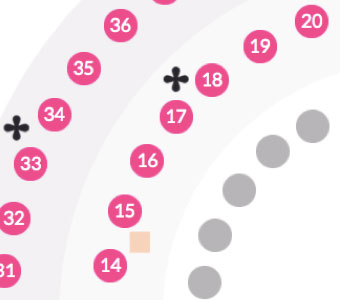
Spot Scheduling® allows customers to choose a specific bike, bench, treadmill, or mat. Your studio’s digital layout is fully branded and integrated into your user experience.
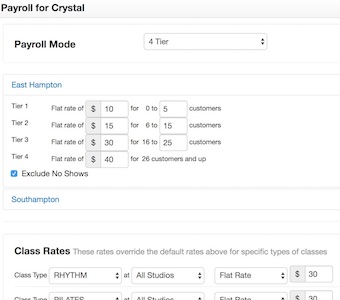
Configure your instructor pay, whether it’s a flat rate, tiered, or per-head system. You can even manage dual instructors.
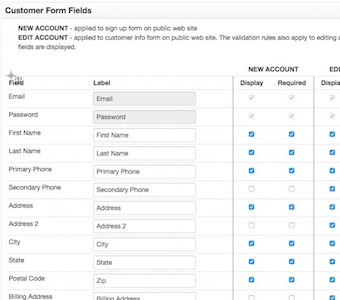
Custom forms allow you to collect additional customer information at sign-up. You can customize and request your customers’ acceptance of Terms, Conditions, and Liability.
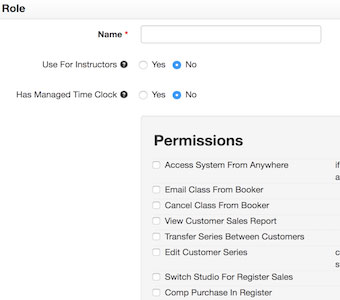
Add employees profiles to the System Admin—based on their role, you can manage their ‘view settings’ and configure their admin rights.
zingfit makes your brand the hero, so customers experience your brand’s look and feel with every digital interaction. And our integrated digital marketing tools help you reach new clients and keep the ones you have.

Peer-to-Peer referrals are one of the most powerful acquisition tools for group-based boutique fitness. Rewards-based referral programs turn your customers into a marketing channel.
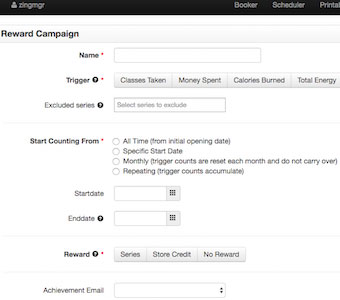
Build loyalty and reward programs tailored to boutique fitness and increase visitation, retention and customer spend.
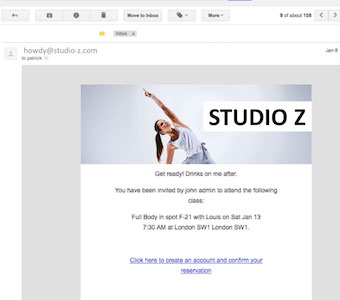
Branded email and the MailChimp integration let you communicate with customers in style—your brand deserves user-journey emails that are highly-branded touch too.
When your customers use an app to book their fitness class, make sure they book directly with you – not on a 3rd party app with other brands’ classes. zingfit knows the digital journey is an important part of the boutique fitness experience—that’s why our app solution keeps your brand front and center.
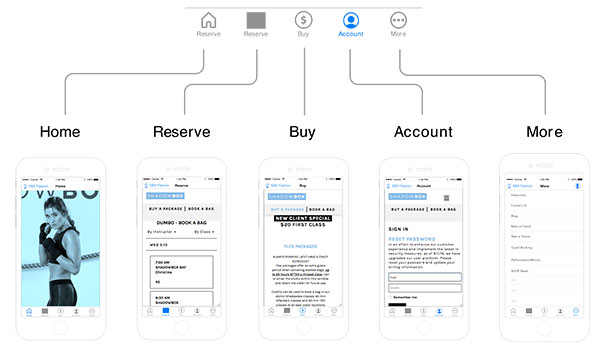
No limitations when customers book on mobile. All of zingfit’s great customer booking features exist on the app.
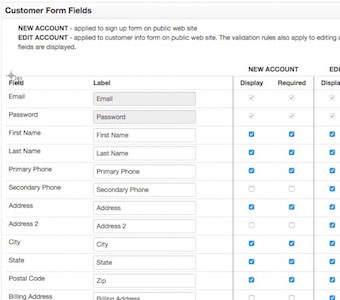
Change your fitness studio’s app main image, call-to-action, and external links whenever you like.
With zingfit, your brand makes a personal connection with every customer transaction. From class payments to upsells, from online purchases to in-studio retail, zingfit delivers a customized, seamless commerce experience.
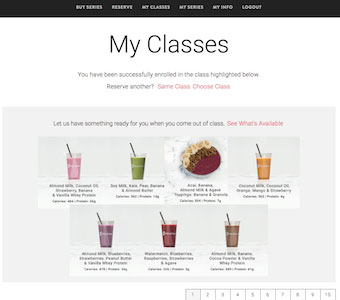
The booking confirmation includes a frictionless product upsell for customers to pre-order a smoothie, rent boxing gloves, etc.
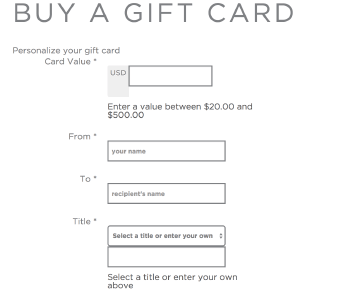
Offer personalized digital gift cards purchased via your website, or branded, physical gift cards purchased at your front desk.
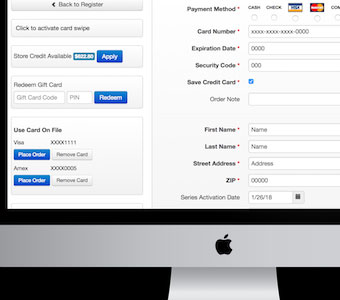
Front desk, point-of-sale lets you collect payments for classes and retail, seamlessly connected to your online sales too—it’s boutique omni-channel.


Our partners are leading experts in boutique fitness, including: performance metrics, fitness hardware, payment processing, web design and boutique consulting.
2051 Dogwood Street, #110
Colorado Technology Center
Louisville, CO 80027


©2022 zingfit. All rights reserved.